Sep 21, 2026
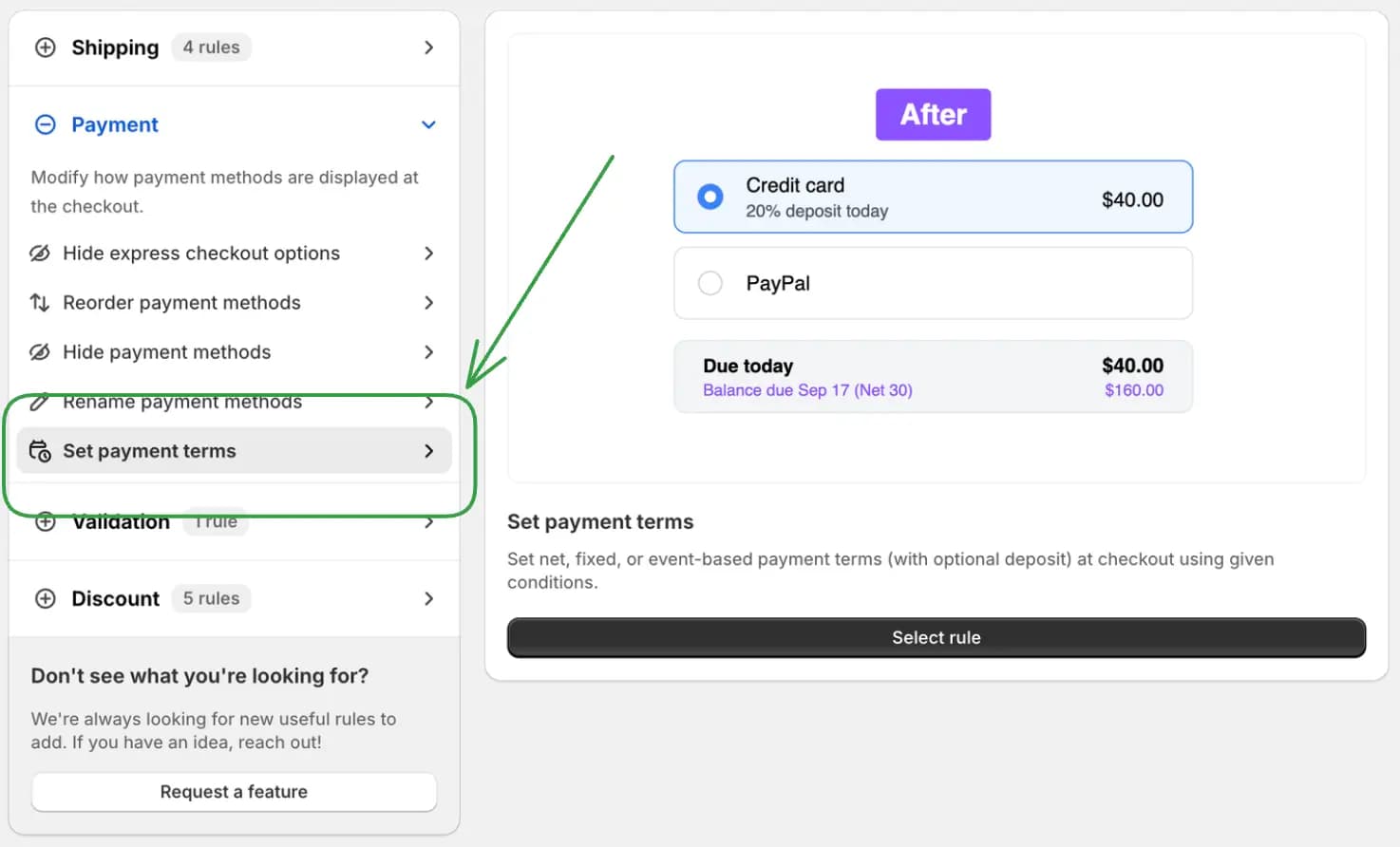
You can now use Set payment terms to let eligible customers place an order and pay later, with an optional deposit at checkout.
This makes it easier to offer payment arrangements that fit your customers and the way you fulfill orders.
For example:
Give wholesale or trusted customers 30 or 60 days to pay
Choose a fixed payment due date for seasonal orders
Make payment due when an order is fulfilled or an invoice is sent
Require a 50% deposit upfront, with the remaining balance due later
Offer different terms based on customer tags, company details, or cart value
This gives you more flexibility to offer customers time to pay while collecting a deposit when you need one.
Available on Shopify Plus stores.

Sep 1, 2026
You can now choose which products receive a discount using product conditions instead of selecting products manually.
This lets each discount automatically target matching items in the cart, including products you add to your store later.
For example:
Discount every product from a selected vendor or collection
Run a seasonal promotion for products with a specific tag
Create different offers for subscription and one-time purchase products
Target products by SKU, title, product type, quantity, weight, or price per item
Combine multiple product details to create a more precise offer
This makes product promotions easier to maintain and keeps your discount targeting up to date as your catalog changes.
Aug 20, 2026
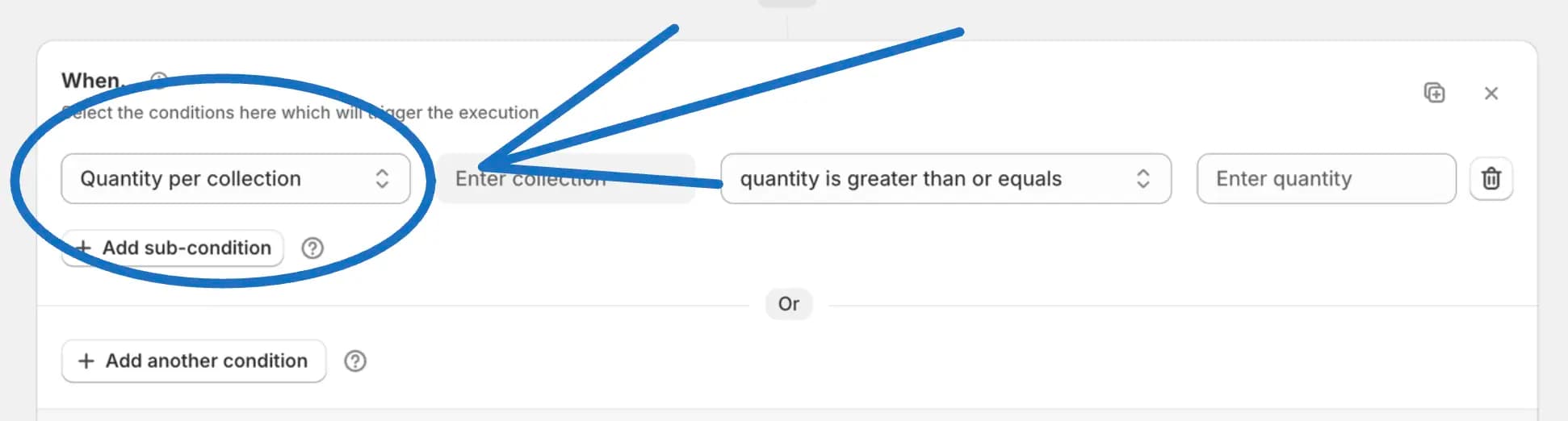
You can now use the new Quantity per collection condition to count how many items from a selected collection are in the cart.
This makes it easy to run promotions based on item quantity, even when customers mix different products and prices from that collection.
For example:
Offer free shipping when a customer adds five jewelry items from your jewelry collection
Apply a collection-specific discount after the cart reaches your target quantity
Adjust shipping and payment options based on the number of qualifying items
Prevent checkout when a customer exceeds the quantity limit for a limited collection
Count different products from the same collection toward one shared quantity goal
This gives you a flexible way to build quantity-based offers around groups of related products instead of relying on the cart value.

Aug 6, 2026
You can now create checkout rules that check multiple product details on the same product in the cart.
This makes it easier to target a specific kind of product without accidentally combining details from different items in the same cart.
For example:
Apply a discount only when the same product matches a selected vendor and tag
Hide a payment method when the same product matches a SKU and is a subscription
Create shipping rules for products in a collection with a specific quantity or weight
Show validation messages for special products, bundles, wholesale items, or restricted goods
Build more accurate product rules for carts with many different items
This gives you more precise control over when checkout rules should apply.
May 18, 2026
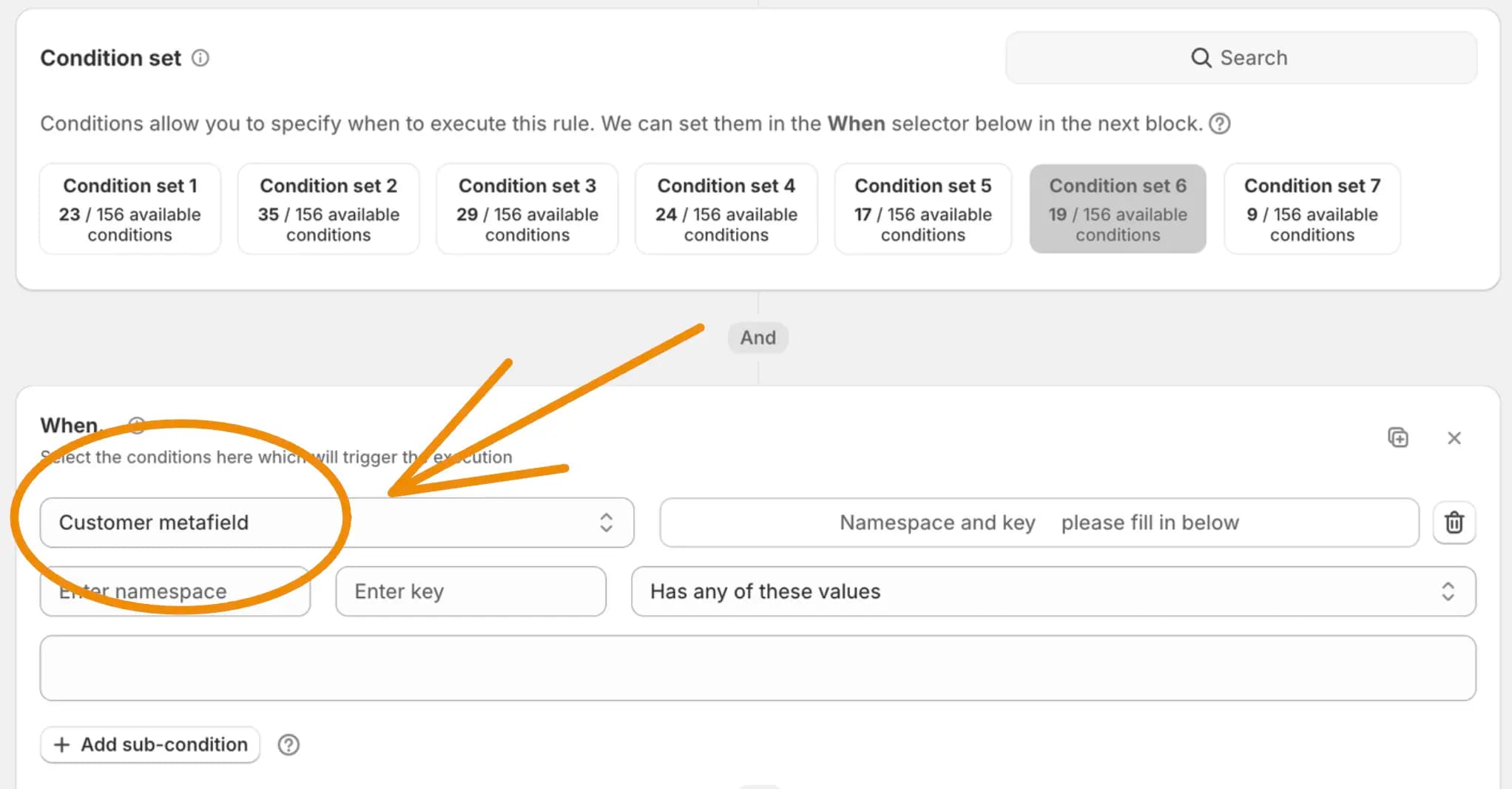
You can now create checkout rules based on customer metafields.
This makes it easier to use the customer details you already store in Shopify to personalize checkout behavior for different customer groups.
For example:
Give VIP or loyalty customers access to special shipping or payment options
Hide payment methods for customers with a specific account status
Create discount rules for members, wholesale buyers, or customer tiers
Build more flexible rules without relying only on email addresses or customer tags
This gives you more ways to tailor checkout for the customers your store already knows.
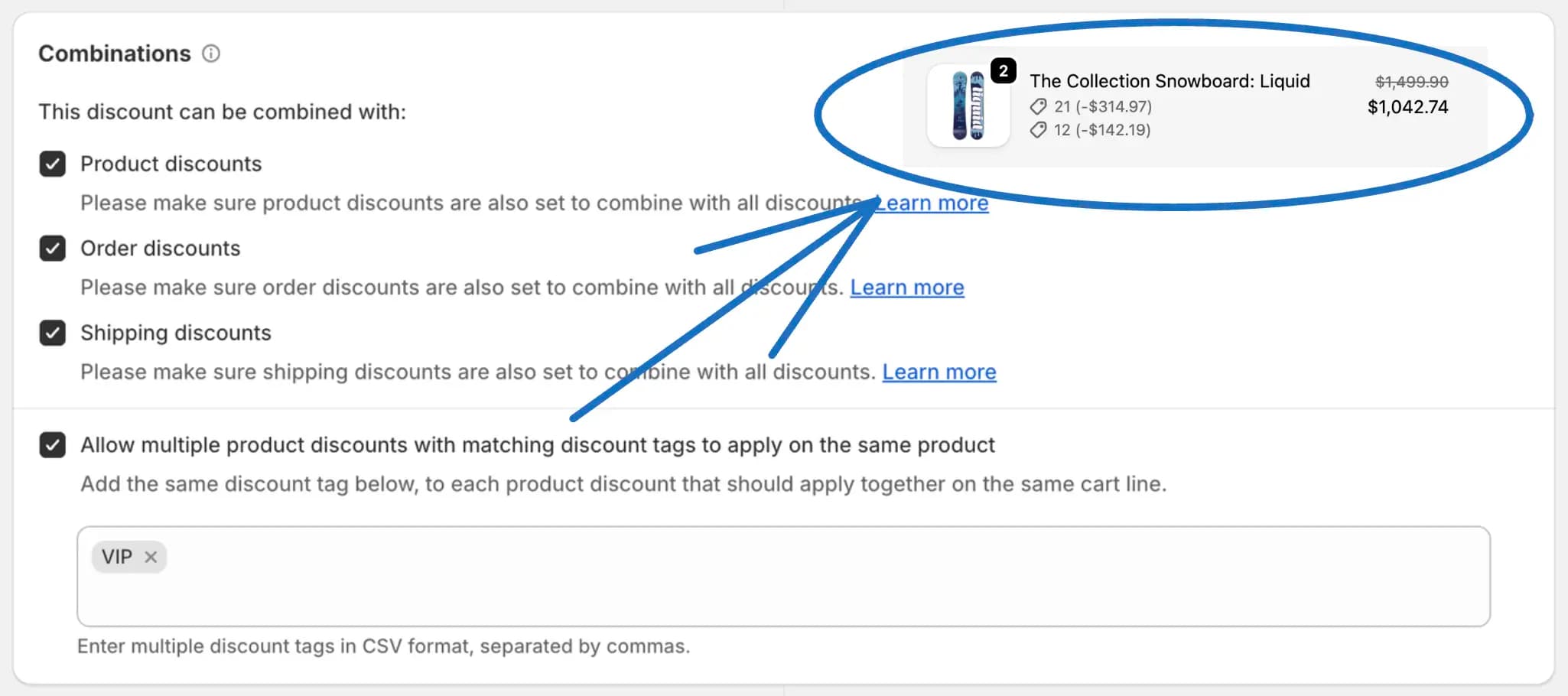
May 17, 2026
Shopify Plus stores can now let multiple product discounts apply to the same product when those discounts are meant to work together.
This makes it easier to run layered promotions without forcing you to choose which product discount should win on a cart line.
For example:
Combine a VIP discount with a seasonal product offer
Let a product-specific sale work together with a loyalty discount
Stack a member discount with a limited-time campaign
Build promotion groups using matching discount tags
Create richer offers without splitting products or rebuilding discount rules
This gives you more flexibility to reward customers and run promotions that can work together on the same product.
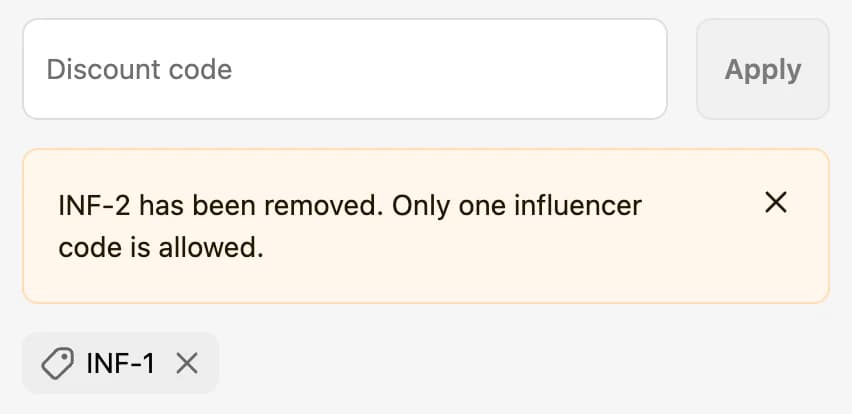
May 16, 2026
You can now create discount code rejection rules that do not allow selected discount codes when certain conditions are met.
This helps you protect promotions from being used in the wrong checkout situation, while still letting the same codes work when they should.
For example:
Block a welcome code for wholesale or B2B customers
Stop a code from being used for specific shipping countries, markets, or cart contents
Prevent campaign codes on carts that already qualify for another offer
Show customers a clear message explaining why the code cannot be used
Keep discount code rules flexible without creating separate discounts for every scenario
This gives you more control over when discount codes can be used and helps keep promotions aligned with your store's rules.
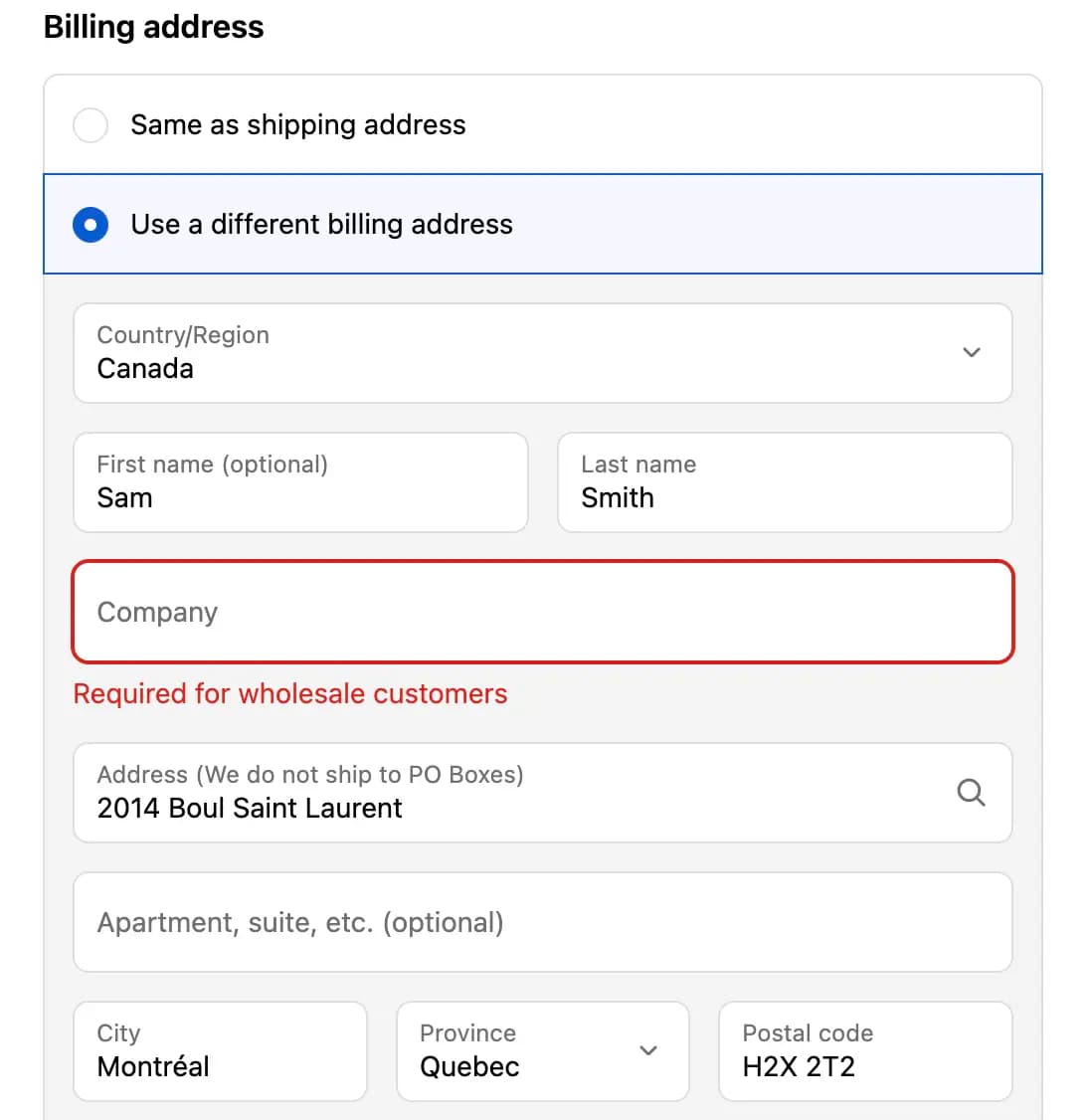
May 10, 2026
You can now create checkout rules based on the customer's billing address.
This makes it easier to control checkout behavior when the billing address matters more than the shipping address, such as billing ZIP/postal code, country, province/state, city, company, or phone number.
For example:
Block checkout when a billing ZIP or postal code is not supported
Show a validation message when billing details do not match your requirements
Hide or rename payment methods for specific billing countries or regions
Target B2B customers using the billing company field
Create rules around billing information even when the shipping address is different
This gives you more flexibility to manage checkout rules around the billing details your customers enter.
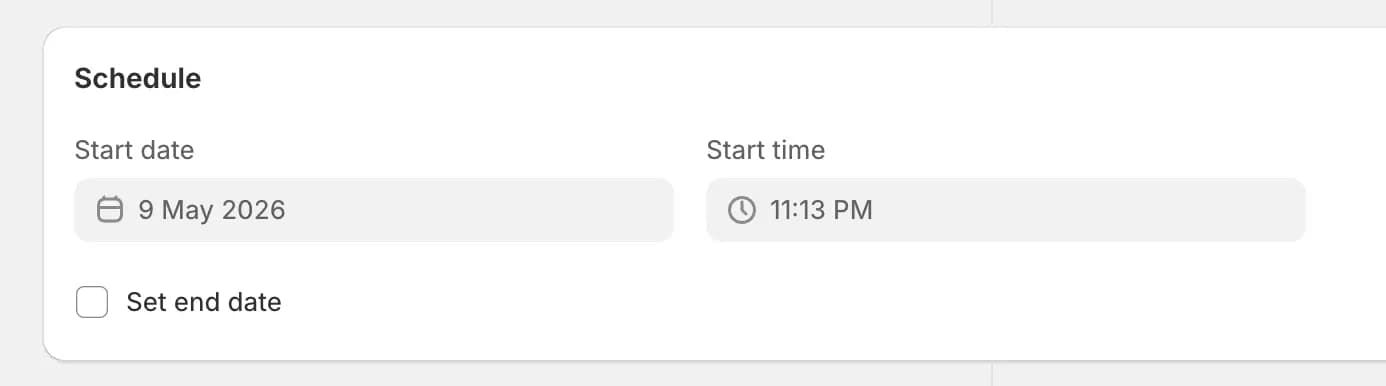
May 10, 2026
You can now schedule discount rules to start at a specific date and time, and optionally end automatically later.
This makes it easier to prepare promotions ahead of time without coming back to manually activate or stop them during busy campaign periods.
For example:
Launch a weekend discount exactly when your sale begins
Prepare a holiday promotion in advance
Set a limited-time offer to end automatically
Run flash sales without manually turning rules on and off
Keep seasonal campaigns ready before they need to go live
This gives you a simpler way to plan discount campaigns and keep promotions running on the right schedule.
May 5, 2026
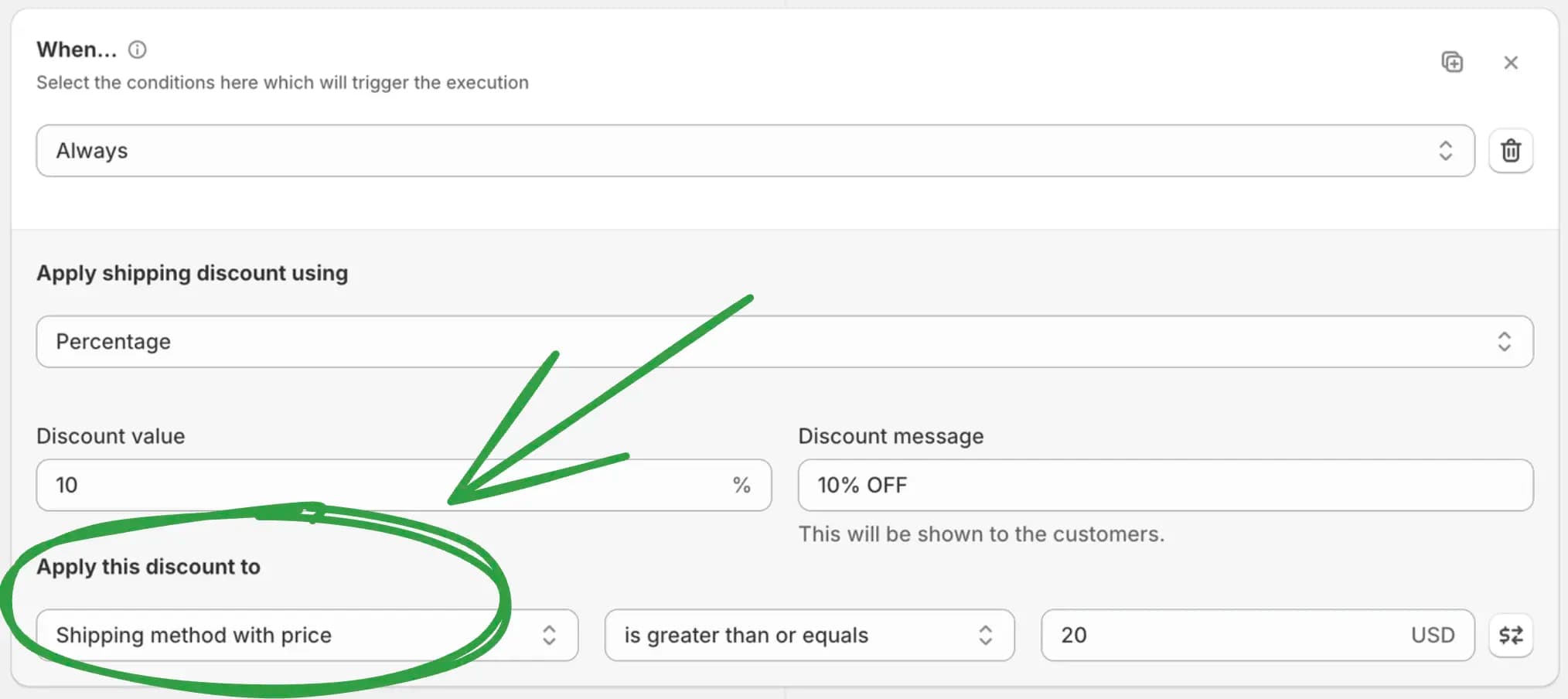
You can now apply shipping discounts based on the price of the shipping method customers see at checkout.
This makes it easier to create shipping offers around expensive, low-cost, or price-threshold delivery options without manually listing every method name.
For example:
Discount only the highest-priced shipping method in checkout
Apply an offer to the lowest-priced shipping method
Give a shipping discount when the delivery option price is above a set amount
Target lower-cost shipping options while leaving premium delivery unchanged
Keep shipping promotions flexible when carrier rates or method names change
This gives you more control over shipping discount campaigns and helps you build offers around the actual delivery prices your customers see.